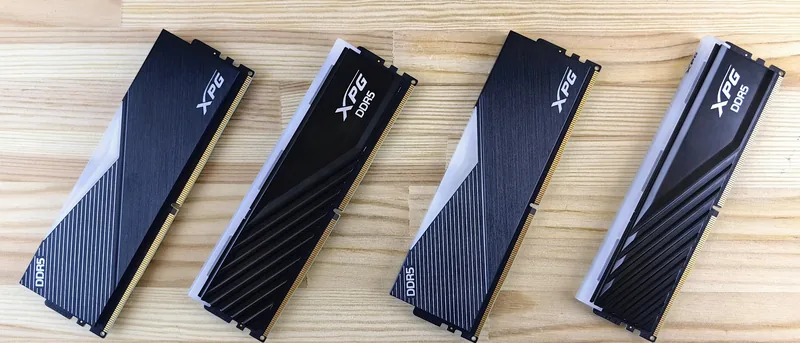
RAM affects how smoothly your Windows PC handles applications, browser tabs, games, and multitasking. Unlike an SSD or HDD, RAM does not permanently store your files. It temporarily holds the information that Windows and running applications need to access quickly.
Having too little RAM can cause freezing, slow switching between programs, and heavy disk activity. However, buying far more memory than your workload requires may provide no noticeable benefit. The right amount depends on how you use your computer.
What RAM Does
When you open a browser, document, game, or editing program, part of its data is loaded into RAM. This allows the processor to access it much faster than if it had to read everything from storage repeatedly.
When available RAM becomes full, Windows moves some data to a page file on the storage drive. This process is much slower, especially on systems using an HDD.
Is 4 GB Enough?
Four gigabytes is now suitable only for very basic use. A Windows PC with 4 GB may handle a few browser tabs, simple documents, and light tasks, but multitasking will be limited.
Modern browsers and background applications can quickly use most of the available memory. Upgrading from 4 GB usually provides a clear improvement.
Is 8 GB Enough?
Eight gigabytes is a reasonable minimum for everyday use. It can handle web browsing, email, streaming, office applications, and video meetings.
It may feel limited if you keep many browser tabs open, use several applications at once, or run modern games. Budget computers with 8 GB can still be practical, especially when paired with an SSD.
Is 16 GB the Best Choice?
For most Windows users, 16 GB provides the best balance between price and performance. It supports comfortable multitasking and gives Windows enough room for normal background activity.
Sixteen gigabytes is suitable for:
- Office work and online meetings.
- Heavy web browsing.
- Photo editing.
- Programming.
- Most modern games.
- Everyday content creation.
It also provides some flexibility for future applications without paying for memory you may never use.
Who Needs 32 GB?
Thirty-two gigabytes is useful for demanding workloads. Video editors, designers, developers using virtual machines, and users working with large files may benefit from the additional memory.
Some high-end games and creative applications also perform better with 32 GB, especially when other applications remain open in the background.
Do You Need 64 GB or More?
Most home users do not need 64 GB. This amount is mainly intended for professional workstations, advanced video production, large engineering projects, multiple virtual machines, or very large datasets.
More RAM does not automatically make a computer faster. Once you have enough for your workload, extra unused memory provides little benefit.
Signs You May Need More RAM
Common signs include:
- Applications freezing during multitasking.
- Browser tabs reloading unexpectedly.
- Memory usage staying close to 100 percent.
- Slow switching between programs.
- Heavy disk activity when several apps are open.
You can check current memory usage in Task Manager → Performance → Memory.
What to Check Before Upgrading
Confirm whether your laptop or desktop allows memory upgrades. Some modern laptops have RAM permanently attached to the motherboard.
Check the supported memory type, maximum capacity, speed, and available slots. Using matched memory modules can also help the system operate efficiently.
RAM Is Not the Only Performance Factor
A slow PC may be caused by an old HDD, weak processor, overheating, malware, or too many startup programs. Adding RAM helps only when memory is actually the limiting factor.
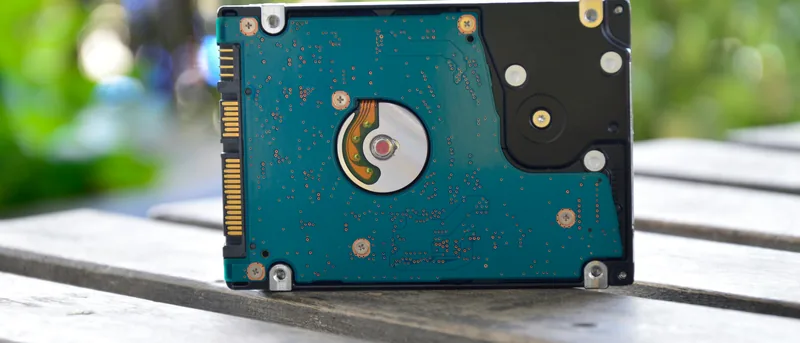
If your computer still uses an HDD, upgrading to an SSD may create a larger improvement than adding more RAM.
Conclusion
For most Windows users, 16 GB of RAM is the best overall choice. Eight gigabytes remains acceptable for basic tasks, while 32 GB is better for demanding games, professional software, and heavy multitasking.
Before upgrading, check Task Manager and confirm that memory usage is the real problem. Choosing RAM based on your actual workload gives you better value than simply buying the largest capacity available.